Field Engineer Ops Bot
A single Telegram bot that runs a field-support team's daily operations: work logging, ticketing, spare parts and documentation, all backed by Google Sheets and Drive.
The problem
A field-support team's information lives everywhere except where you need it: work gets logged inconsistently (or not at all), tasks are handed out in group chats, and spare-part numbers and documentation are scattered across spreadsheets and people's heads. On-site, an engineer wastes time hunting for things that should take seconds.
I wanted one place the whole team already lives in, Telegram, to capture work and serve up everything they reach for, with the records ending up somewhere shared and structured.
Four modules, one chat
An engineer logs a job through a guided chat (task, client, issue, impact, remarks), and it lands in their personal tab in Google Sheets. Entries are auto-translated to English first, so a mixed-language team keeps one clean, searchable record.
Raise a ticket and assign it to a person-in-charge with a project, priority and status. Assignees see their open tickets with /mytasks and post progress with /update. A 'Need Support' status automatically pings the person who created the ticket.
A searchable spare-parts catalog with photos, organized by location and category, so a technician on-site can find the right part and its details from their phone instead of digging through folders.
Team documents live in a Google Drive folder the bot can serve. Because a service account has no Drive storage of its own, uploads run as a real user via OAuth — a small but real piece of integration work.
Inside each module
Each module is its own small pipeline behind the chat commands. Here's the flow each one runs, left to right.
What it looks like in Telegram
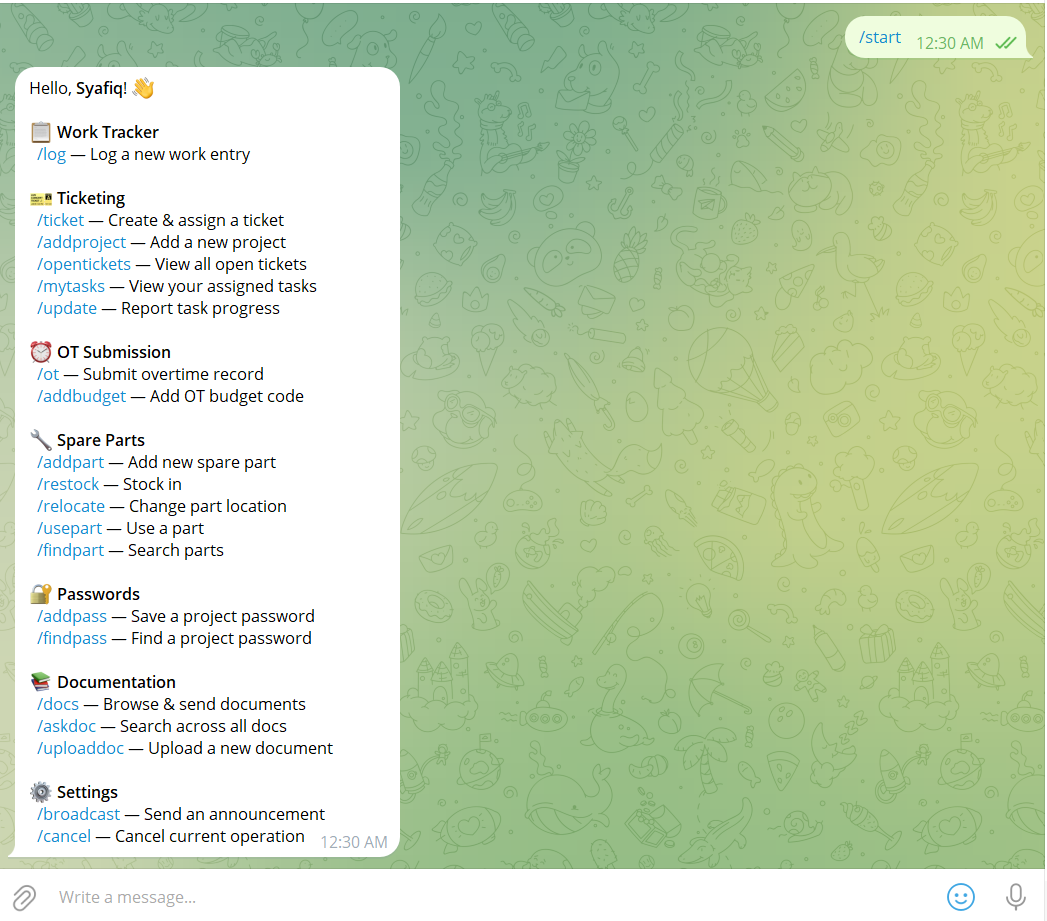
No app to install. Every module is a guided command in a single chat. /start lists everything the bot can do, grouped by module.
Under the hood
There's no separate database to run. Google Sheets is the backend. Each function has its own spreadsheet (work log, ticketing, spare parts), tabs are created automatically on first use, and reads are cached so the bot stays responsive without hammering the Sheets API. The team registry syncs itself whenever someone runs /start.
Two integration details I'm happy with: work-log text is auto-translated to English (deep-translator) before saving, so the record stays consistent across a multilingual team; and document uploads use a real OAuthuser token because a service account has no Drive storage of its own. The bot runs unattended on a mini PC and resumes on any machine with a git pull.
How it all fits together
One Telegram bot is the front door for the whole team; Google Sheets is the database; the dashboard reads straight off the same sheets. Here's the whole system on one page:
Ticketing, on the dashboard
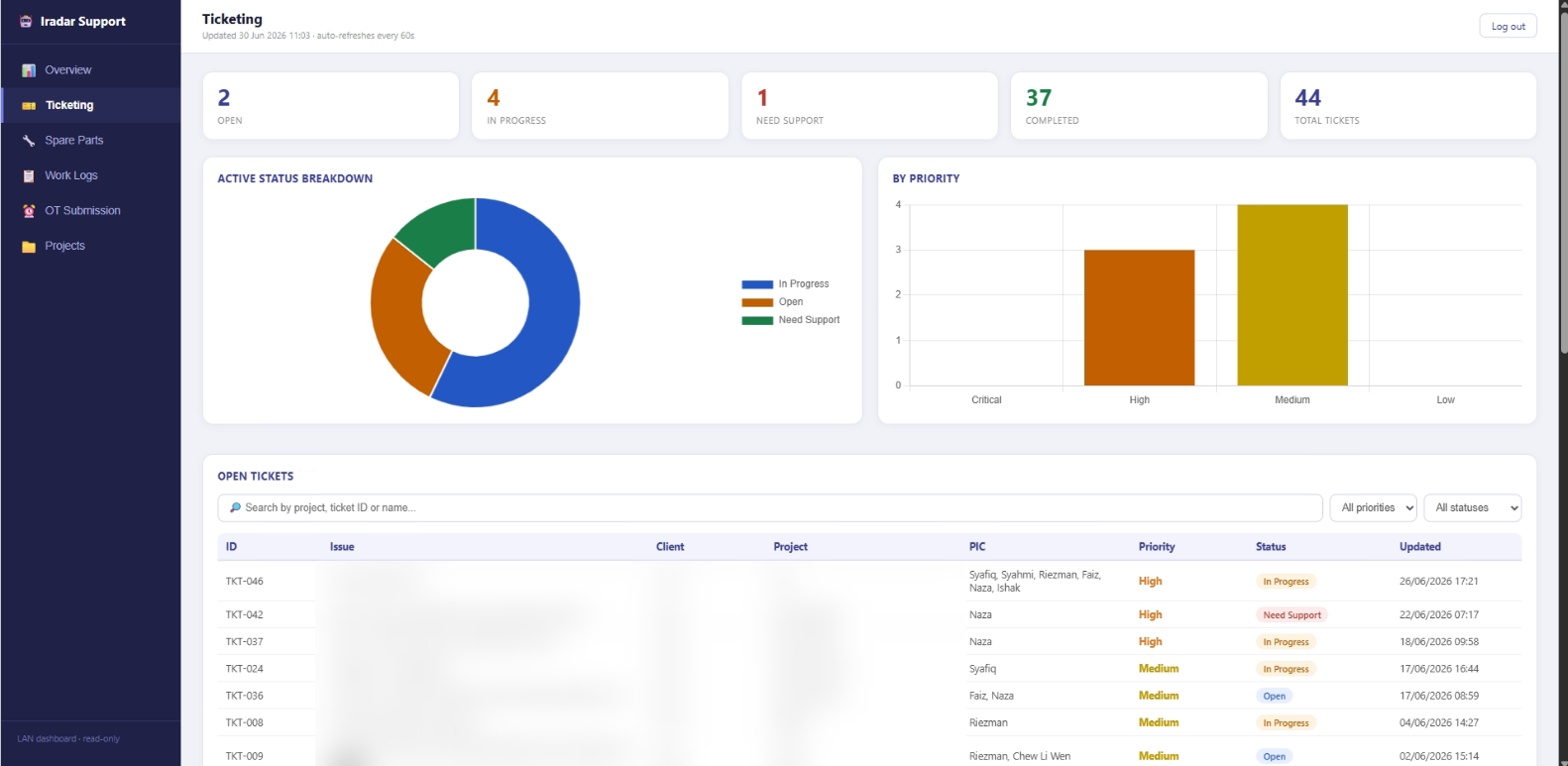
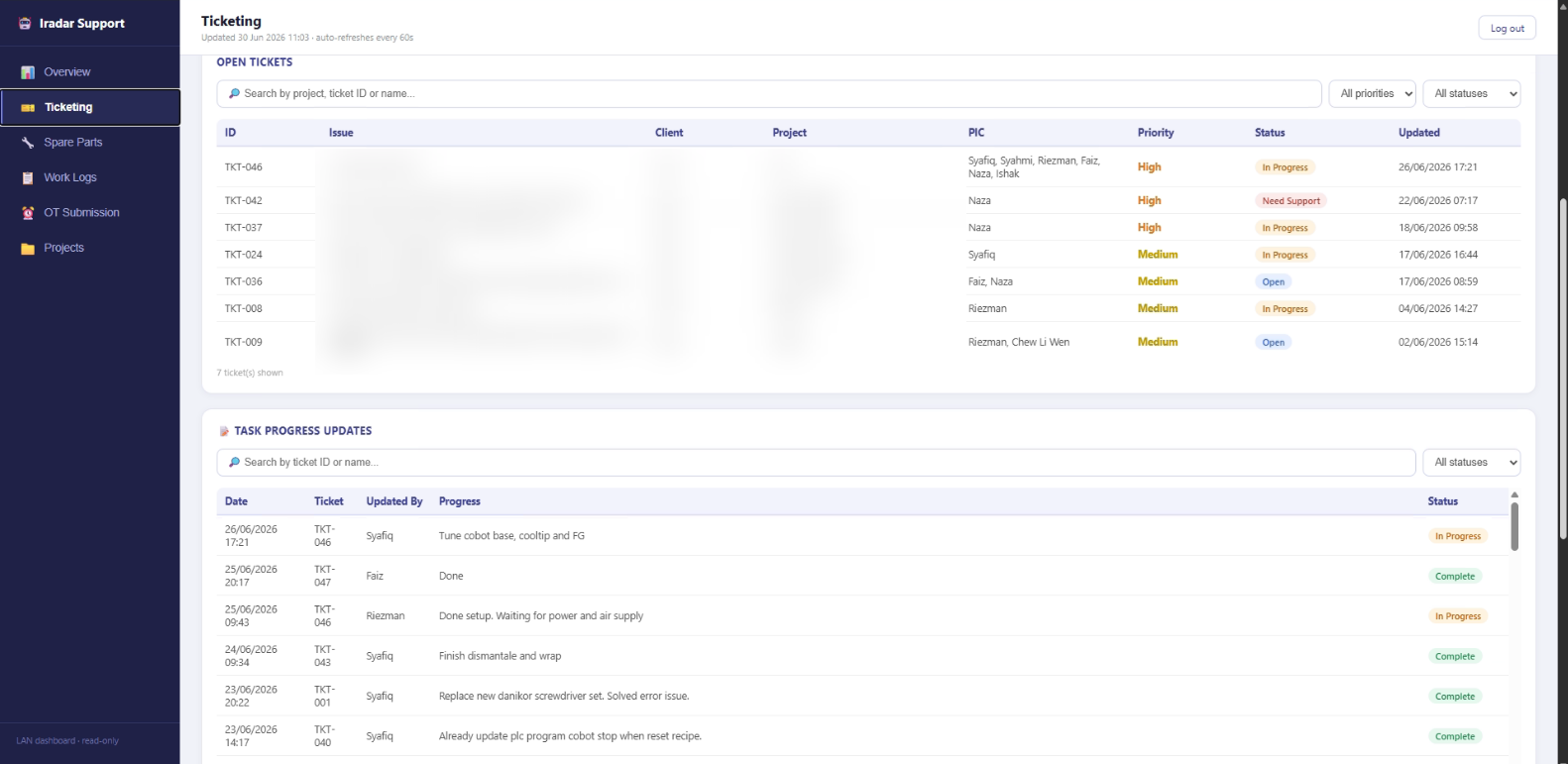
Every ticket raised through the bot shows up on the read-only web dashboard: status and priority breakdowns, per-PIC workload, the live ticket list, and a running task-progress log. (Client, project and issue details are blurred here to keep company information private.)
Spare parts, on the dashboard
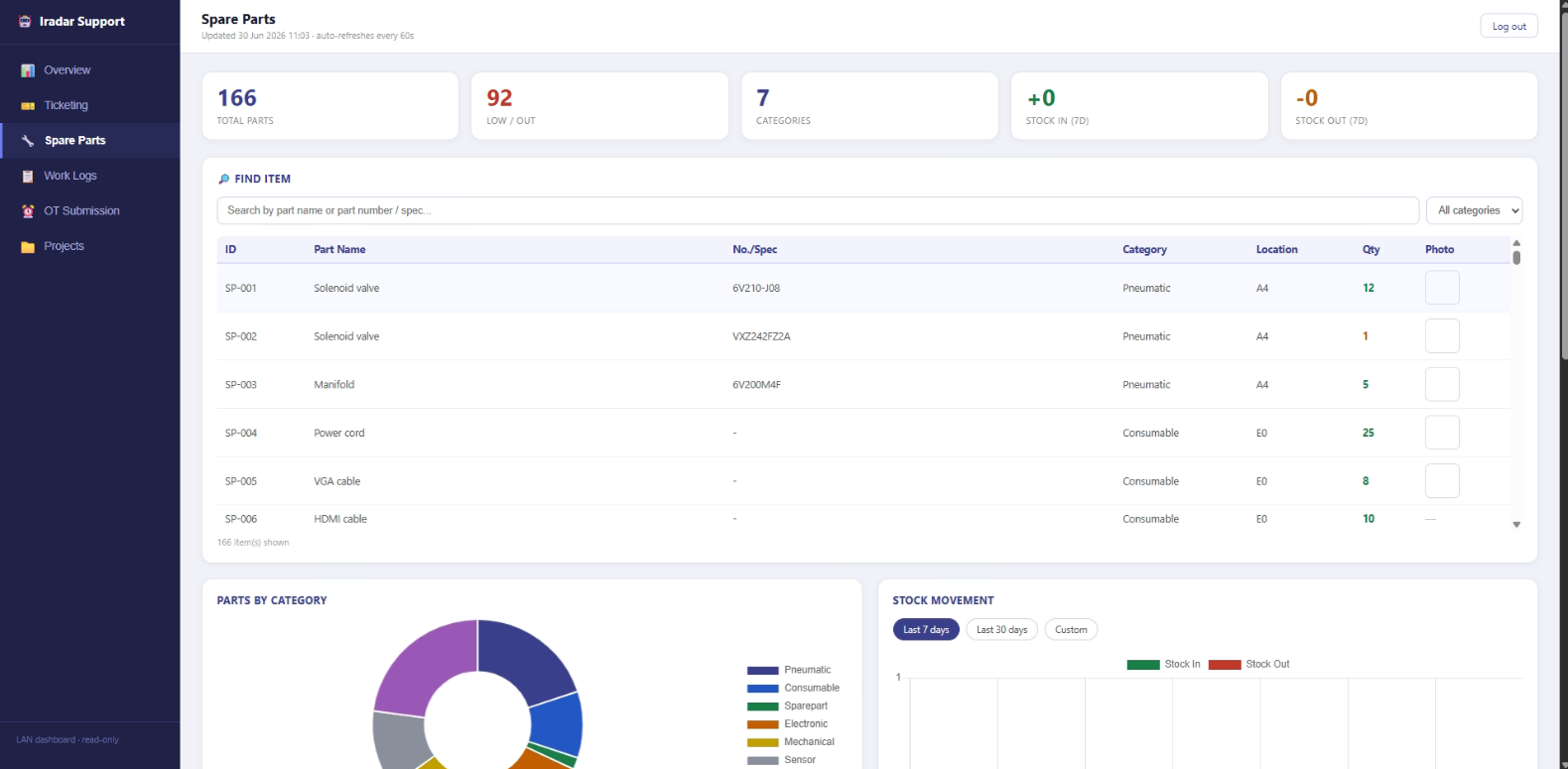
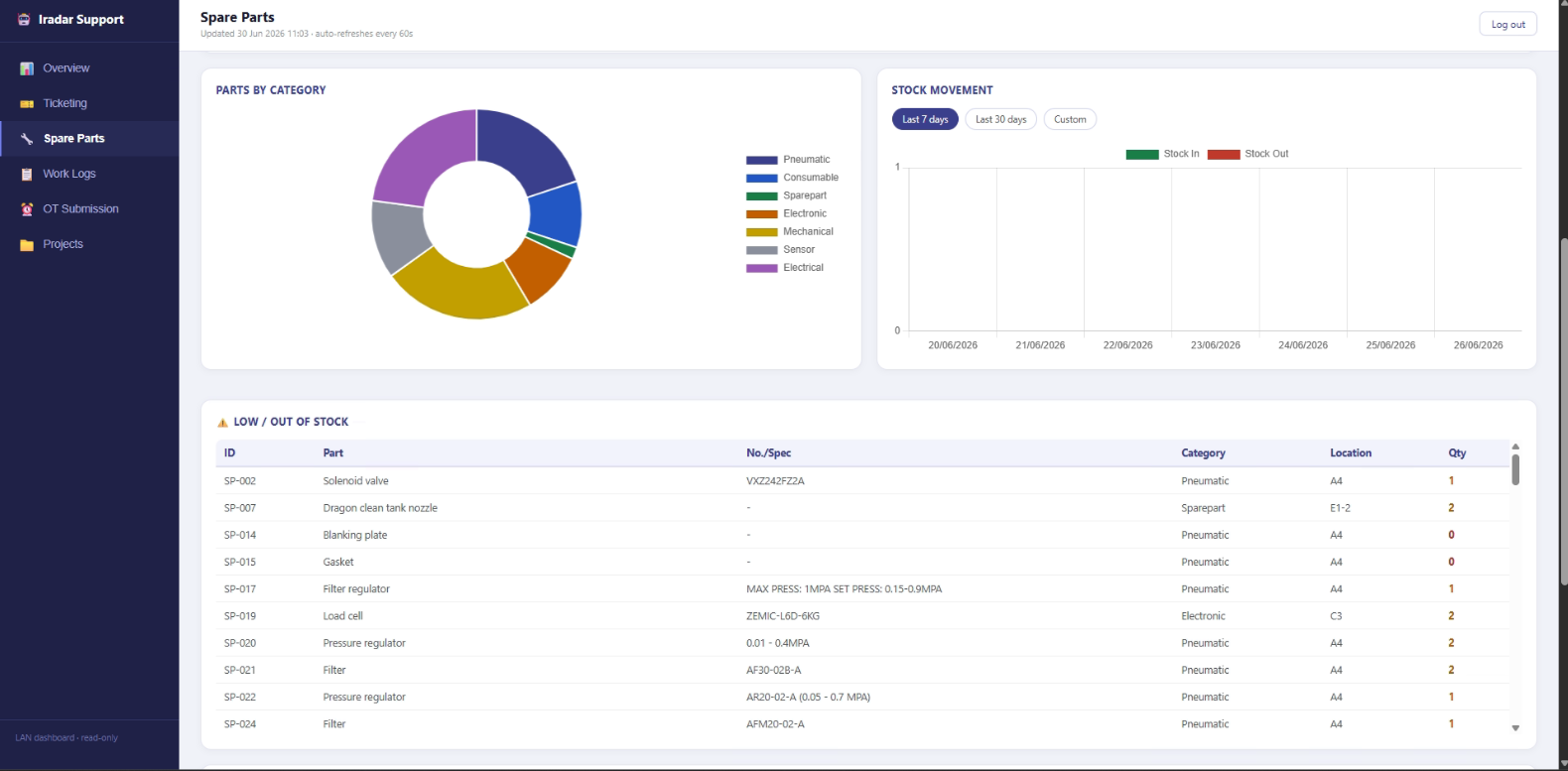
A searchable parts inventory: total parts, low/out-of-stock alerts, categories and locations, with stock-movement tracking over time.
Work logs, on the dashboard
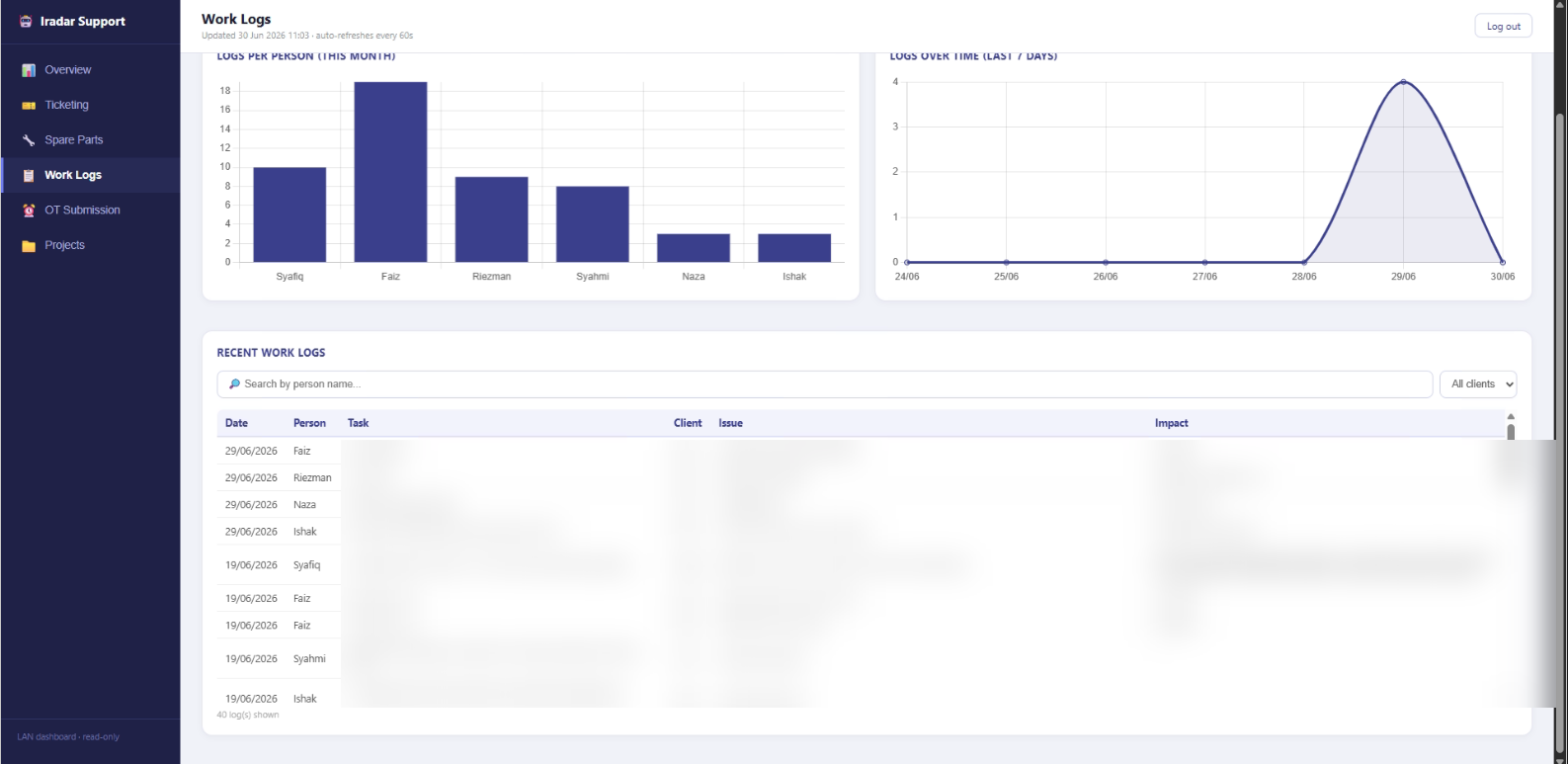
Daily work captured through the bot, charted per person and over the last 7 days, with a searchable log of every entry. (Task, client and issue details are blurred to keep company information private.)
Projects, on the dashboard
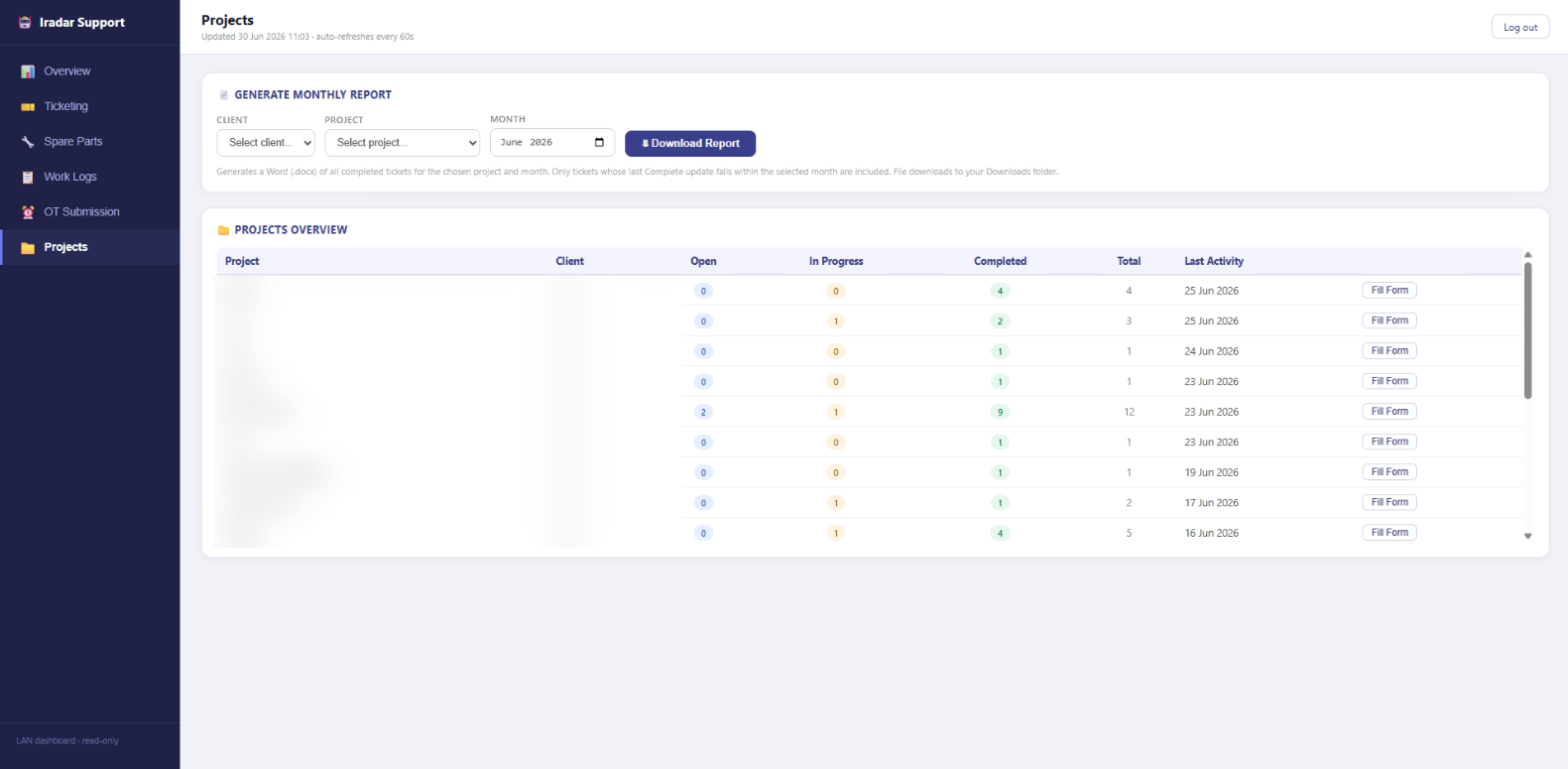
Every project rolled up: open, in-progress and completed ticket counts with last activity, plus a button that generates the monthly report. (Project and client names are blurred.)
Built with
In daily use by the team. The code is private, but I'm happy to walk through the architecture and a live demo.