PC-Based HMI Platform
A complete HMI product that runs on ordinary Windows PCs instead of dedicated HMI panels. Engineers draw machine screens in a designer, deploy a signed bundle to the machine PC, and a runtime service drives the PLCs and reports to a central server.
The problem
Every machine we build needs an operator screen, and that usually means a dedicated HMI panel plus the vendor's design software and runtime licence. The panel is a closed box: limited storage, limited history, and data that is hard to get out to the rest of the factory.
Our machines already have Windows PCs on them. I wanted one platform we own end to end: a designer our own engineers author screens in, a runtime on the machine PC, drivers for the PLCs we actually use, and a path for production data to reach a central server. It is built to be sold to customers, so installers, signed bundles, licensing and updates are part of the product.
The designer, on the engineering PC
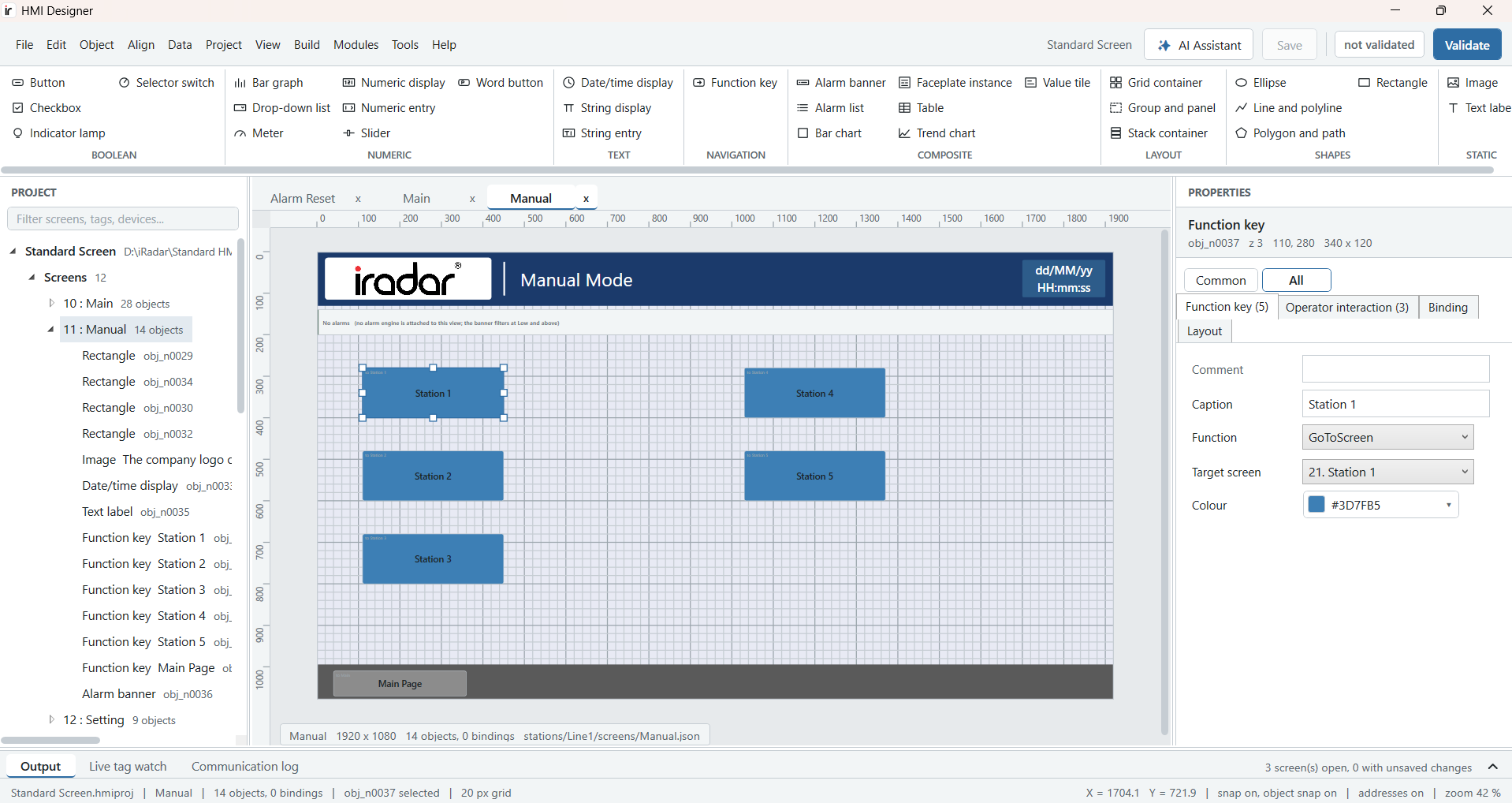
- Ribbon of 29 object types (buttons, lamps, numeric entry, trend and bar charts, alarm lists, faceplates) plus a library of 583 shapes.
- Every edit is a command with an inverse, so everything can be undone.
- Compile (F5) checks the project and signs the bundle; Simulate (F8) runs the screens offline or online against the real PLC.
- Tag import from Sysmac Studio, live tag watch and a communication log for commissioning.
- An AI assistant that drafts a screen from a plain English or Malay prompt, which the engineer keeps or discards.
The runtime, on the machine PC
- Drivers for Modbus TCP/RTU/ASCII, Siemens S7, OMRON FINS, OMRON NJ/NX over EtherNet/IP, OPC UA and serial or TCP instruments, all behind one driver contract.
- A tag cache where every value carries its quality and timestamp. Bad data shows as a placeholder, never as a wrong number.
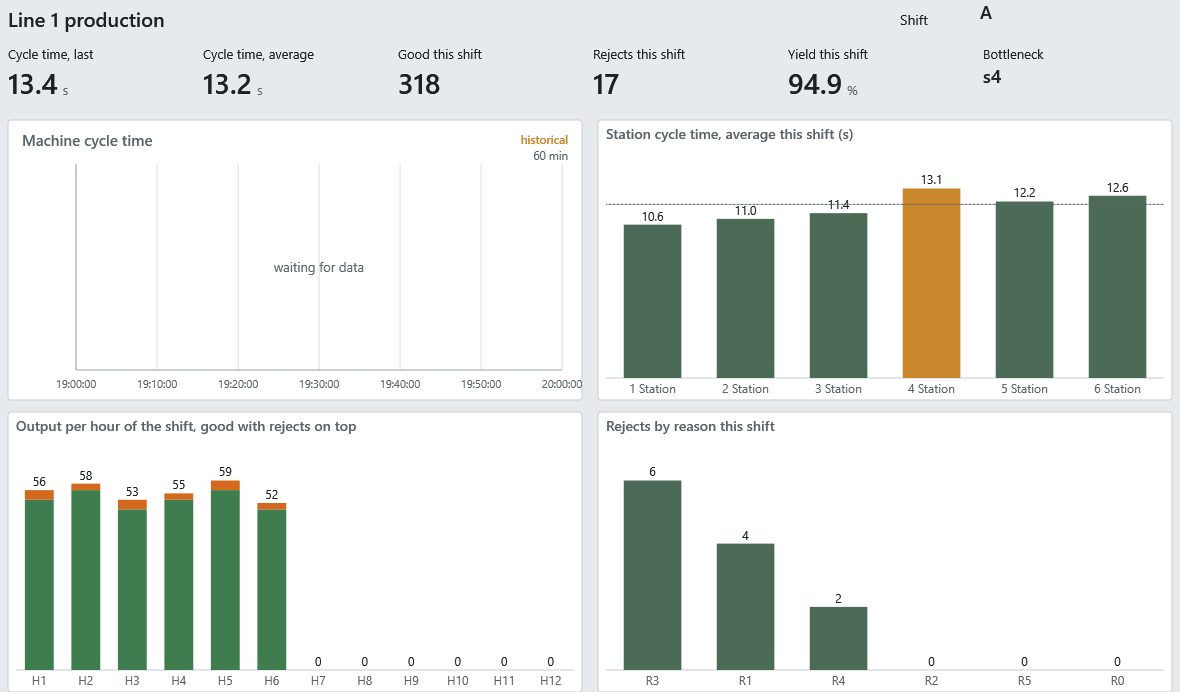
- ISA-18.2 alarms, a historian with trends, recipes with read-back, and production and OEE modules.
- A command gate: every write is checked against the operator's role, read-only tags are refused, and each write lands in an audit trail.
- Northbound OPC UA server and Sparkplug B with store-and-forward, so a central server can collect from many machine PCs.
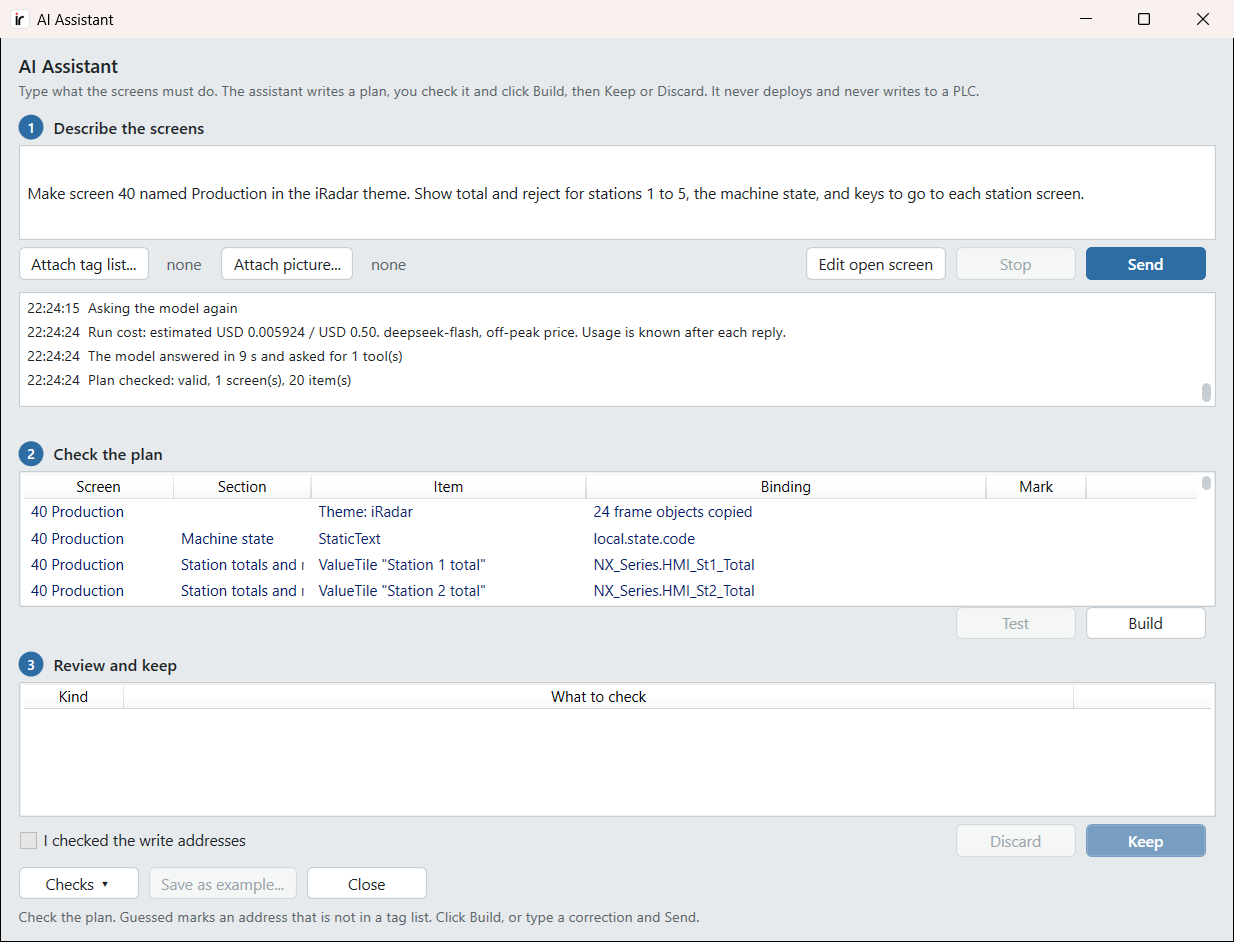
The AI Assistant: describe a screen, get a screen
The engineer types what the screen must do, in English or Malay. The assistant reads the project first (its screens, tags, devices, shapes and theme) and writes a plan: every object it will place and the tag each one binds to. Nothing changes until the engineer checks the plan and clicks Build. After Build, the assistant reviews its own screen and the engineer chooses Keep or Discard.
It never deploys and never writes to a PLC. Any address it could not find in the tag list is marked "Guessed", so a made-up address can't slip through, and every run shows its cost against a cap.
What engineers ask it to do
"Make a nice main screen in the iRadar theme. Design it yourself and decide what goes on it."
A full main screen with shift production, a station summary and navigation, laid out in the company theme.
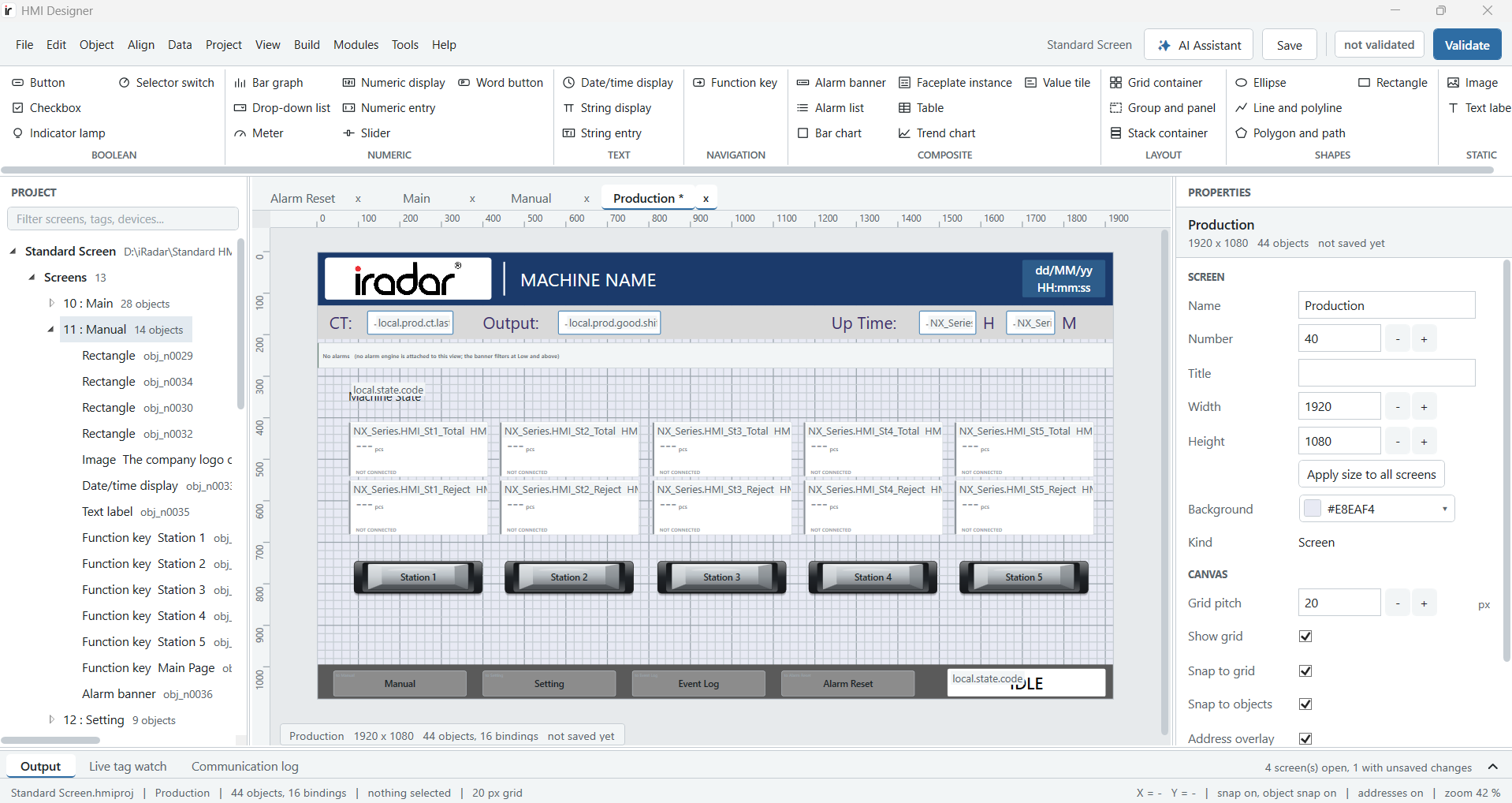
"Buat skrin 65 bernama Pengeluaran dalam tema iRadar, tunjukkan jumlah dan reject stesen 1 hingga 3."
A plan with Malay captions, each station's total and reject bound to its tag.
"Make the Stop button red and put the three motor lamps in one row under the buttons."
The screen changes as one step, so a single Ctrl+Z takes it back.
One click on Checks, on the open screen.
Findings such as a missing alarm banner, or a Motor 2 control bound to the wrong tag.
"Add a Modbus TCP cobot named Cobot1 at 192.168.1.50 and copy its registers 200 and 201 into D300 and D301."
New device and transfer rows in the plan, each one checked before it enters the project.
"Which tag tells me the machine state, and what do its values mean?"
The tag, its device and type, and a table of what each value means, read from the project.
Devices: one form for every PLC
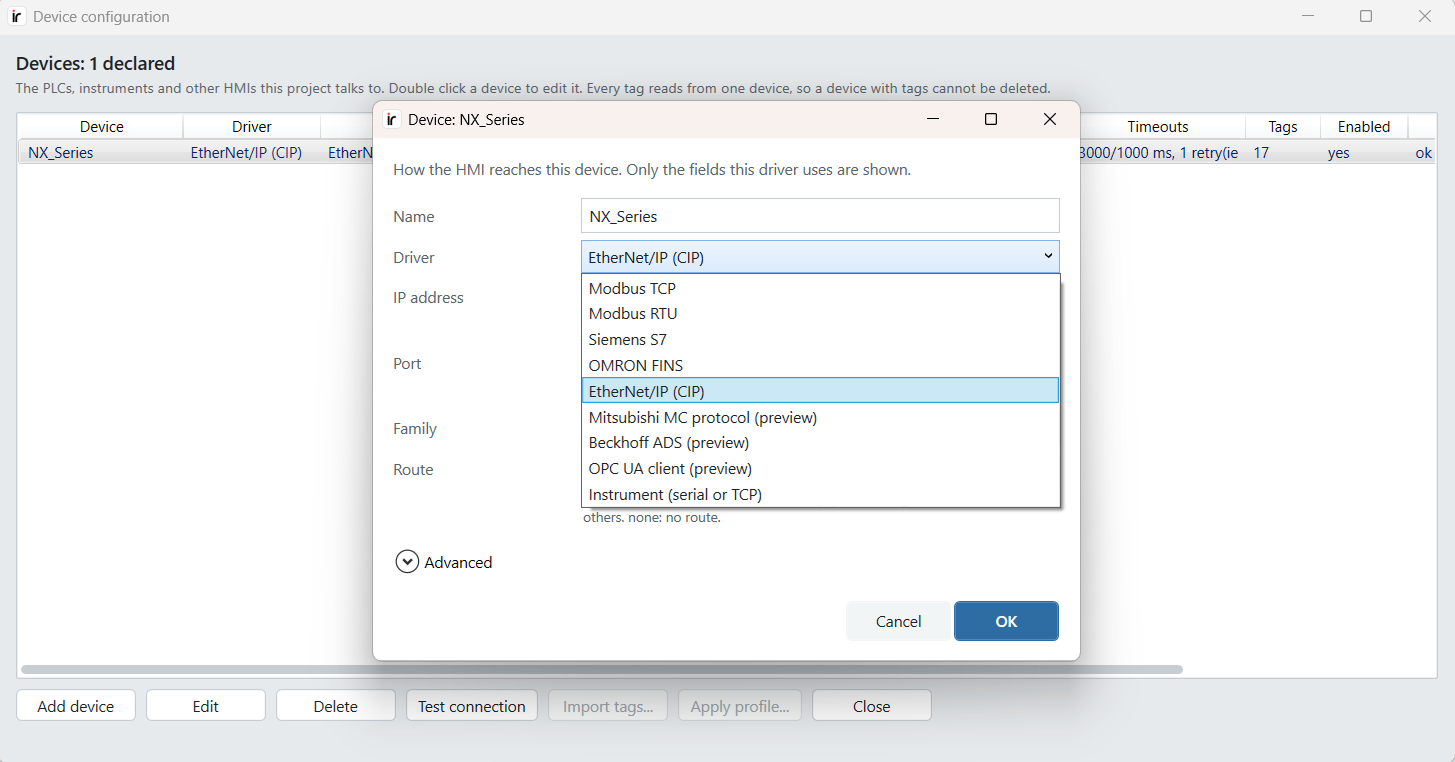
Each device is a PLC, instrument or other HMI the project talks to. One form covers nine drivers, and it shows only the fields the chosen driver uses. Test connection checks the link from the designer before anything is deployed.
Tags: names, not addresses
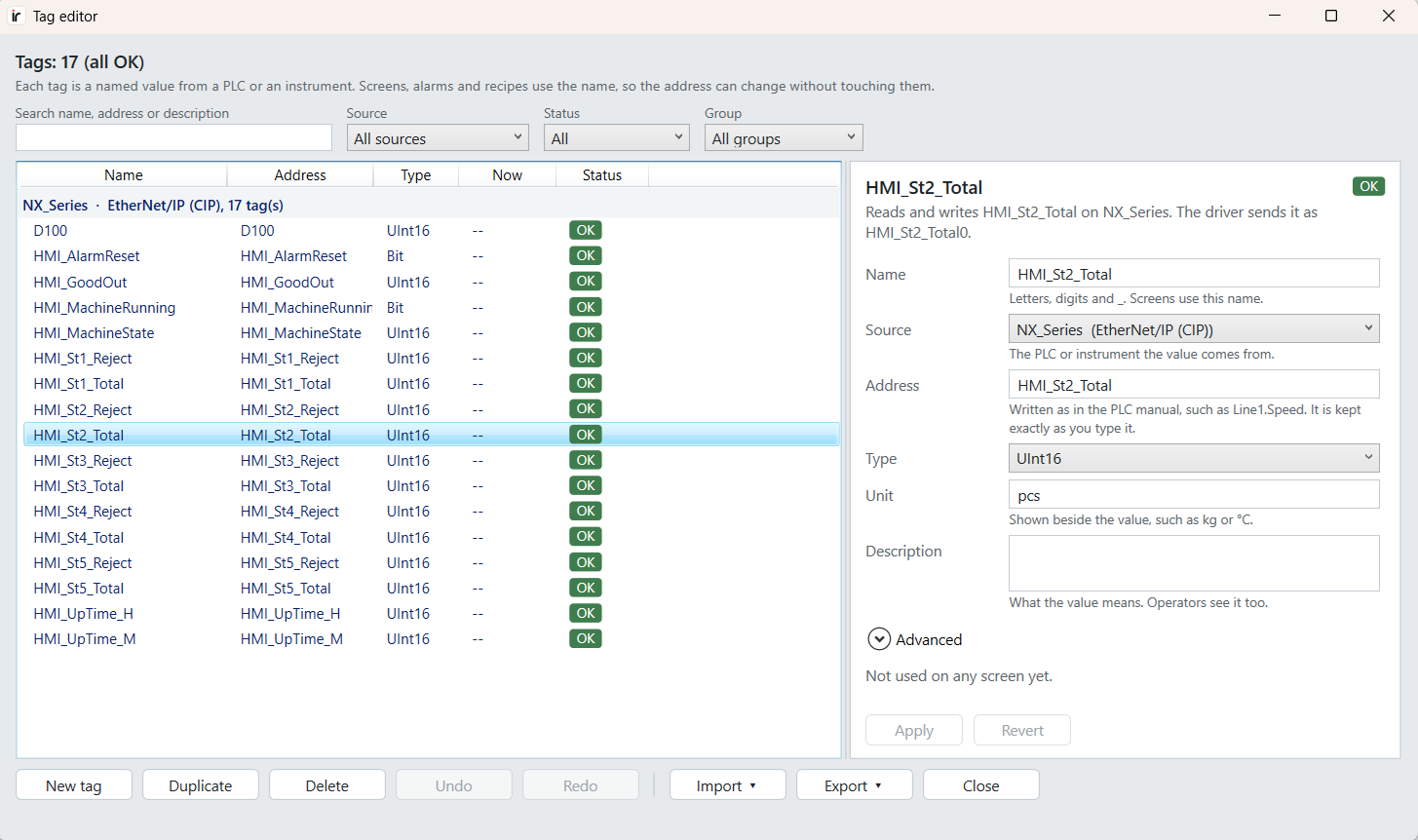
Screens, alarms and recipes use a tag's name, never its raw address, so a PLC address can change without touching a single screen. Every tag carries its type and unit, shows whether it is used, and can be imported from Sysmac Studio, OPC UA or a CSV.
Instruments: scales and meters without a PLC
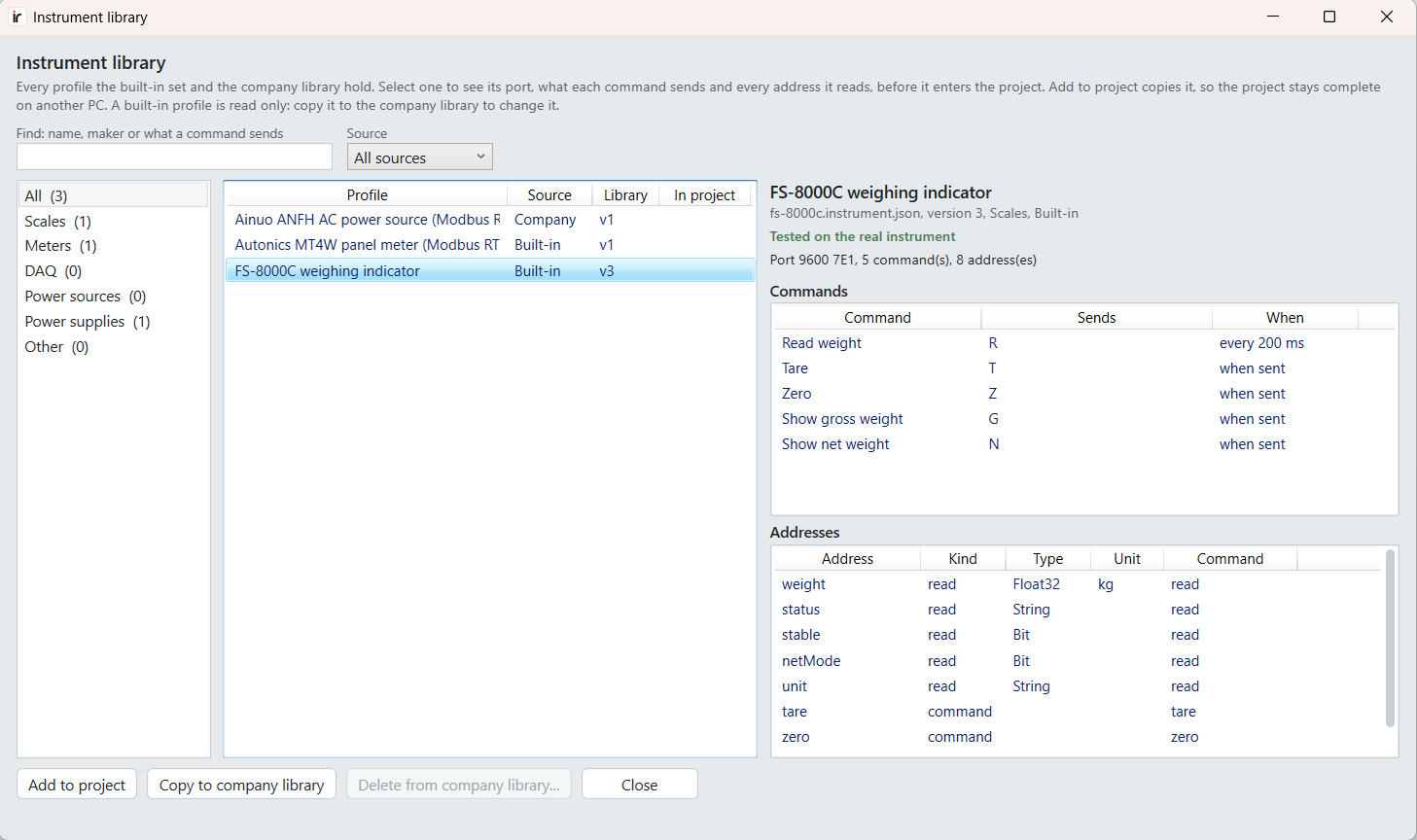
Serial and TCP instruments such as weighing indicators and panel meters connect directly. A library holds ready profiles with every command and the address each reply fills, and a profile marked as tested has been run against the real instrument. For a new instrument, the AI can draft its profile from the maker's manual.
How it was built
I wrote the architecture and the decisions; AI coding agents wrote most of the code under them. The work ran as a chain of short, self-contained sessions, one at a time. Each session wrote its acceptance test first, then built, tested, committed and reported. The chain stopped whenever a session hit a decision that was mine to make, such as the screen schema or the driver contract.
The first end-to-end version took seven days. The solution is now 30 projects of C#, with every session's measurements kept as evidence files in the repository.
Built with
In active development. The code is private, but I'm happy to walk through the architecture and a live demo of the designer.